The fixed width font terminal has a certain aesthetic to it that appeals to me. Most likely it’s some misplaced nostalgia for primitive computing, even though I started out my computer journey enamoured of GUIs.
wttr.in: What’s the weather like?
$ curl wttr.in

Weather report: Medford, Massachusetts, United States

      \   /     Clear
       .-.      +51(48) °F
    ― (   ) ―   → 9 mph
       `-’      9 mi
      /   \     0.0 in
I was amazed to find this service. No API key, no subscription, they guy just gives it away for free.
More info on github
dict/dictd: a dictionary is just words …
All linux repositories have the dict program. You just install it and go.
e.g. sudo dnf install dictd
This sets up dict to use the dictionary server on dict.org.
What I really like is that you can set up a local server and point dictd to that and download dictionaries locally.
Sadly this needs a bit of a note because it’s gotten harder and harder to get
this working in offline mode because distributions keep dropping the offline
dictionary database packages from their releases till you can no longer install
the gcide or moby-thesaurus from major distributions.
What you must do is as follows:
- Install the dictd server e.g.
sudo dnf install dictd-server - Download the dictionaries (and the index files) that you want from this shady github repository
- Put the dictionaries and indexes in
/user/share/dict/dictd - Add a line
server localhostto~/.dictrc - Add the following config to
/etc/dictd.conf
database gcide {
  data "/usr/share/dict/dictd/gcide.dict"
  index "/usr/share/dict/dictd/gcide.index"
  access { allow * }
}
Each dictionary needs a section like this
Additionally, on Fedora (which uses SELinux) there is some additional wrangling to allowlist the freshly downloaded files.
aerc: email like it’s 1999
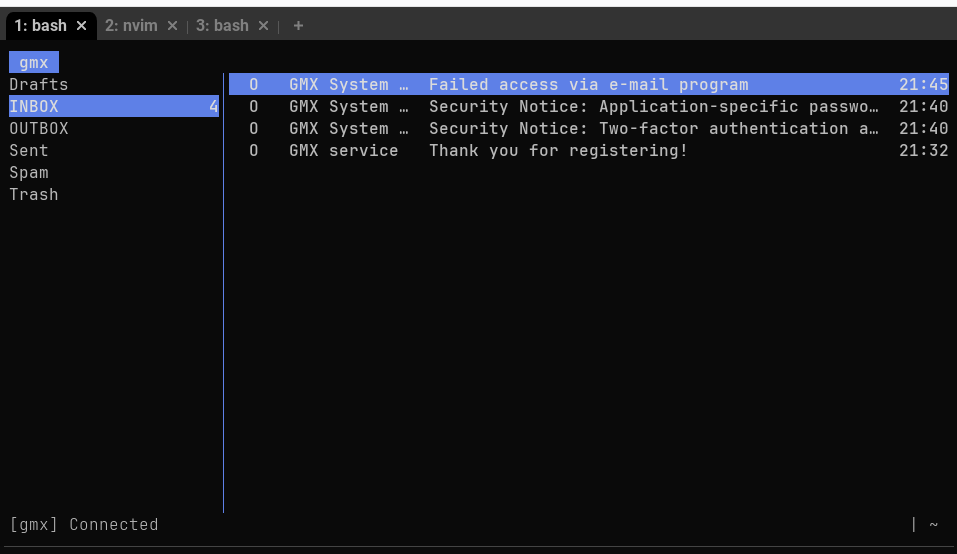
GMX was the only mail provider I found that
- Has clear instructions on how to set up an email client using POP/IMAP.
- Even sent me a nice email
Subject: Failed access via e-mail programwith detailed instructions on why my attempt to use my third party email client failed.
I really like these GMX people!
I think GMail works, but I didn’t try it. ProtonMail sadly needs something called Protonbridge and a paid subscription to access email from a “third party” app.
It is heartening to see, in contrast, that there are so many text mode email clients still around (Pine, Mutt and even the old mail) and new ones like aerc are being developed!
delve: Debug Go like it’s 1975
Delve is a terminal based Go debugger. It’s easy to use and awesome and reminds me how the constraints of a terminal can lead people to make elegant tooling.
$ dlv debug
Type 'help' for list of commands.
(dlv) break main.main
Breakpoint 1 set at 0x4e5fd6 for main.main() ./main.go:80
(dlv) continue
> [Breakpoint 1] main.main() ./main.go:80 (hits goroutine(1):1 total:1) (PC: 0x4e5fd6)
    75:			return false
    76:		}
    77:
    78:	}
    79:
=>  80:	func main() {
    81:
    82:		primes, prime_list, _ := load_primes()
    83:		fmt.Println(fmt.Sprintf("Loaded %v primes", len(primes)))
    84:
    85:		truncatable_primes_sum := 0
Web-browsers
There are a surprising number of text mode browsers. But, unlike the other text mode tooling listed here, I wouldn’t recommend you use text mode browsers seriously: The modern web is built for GUIs and is mostly horribly broken for text mode browsing.
Tasteful sites, like this one, however, render quite nicely in text mode.
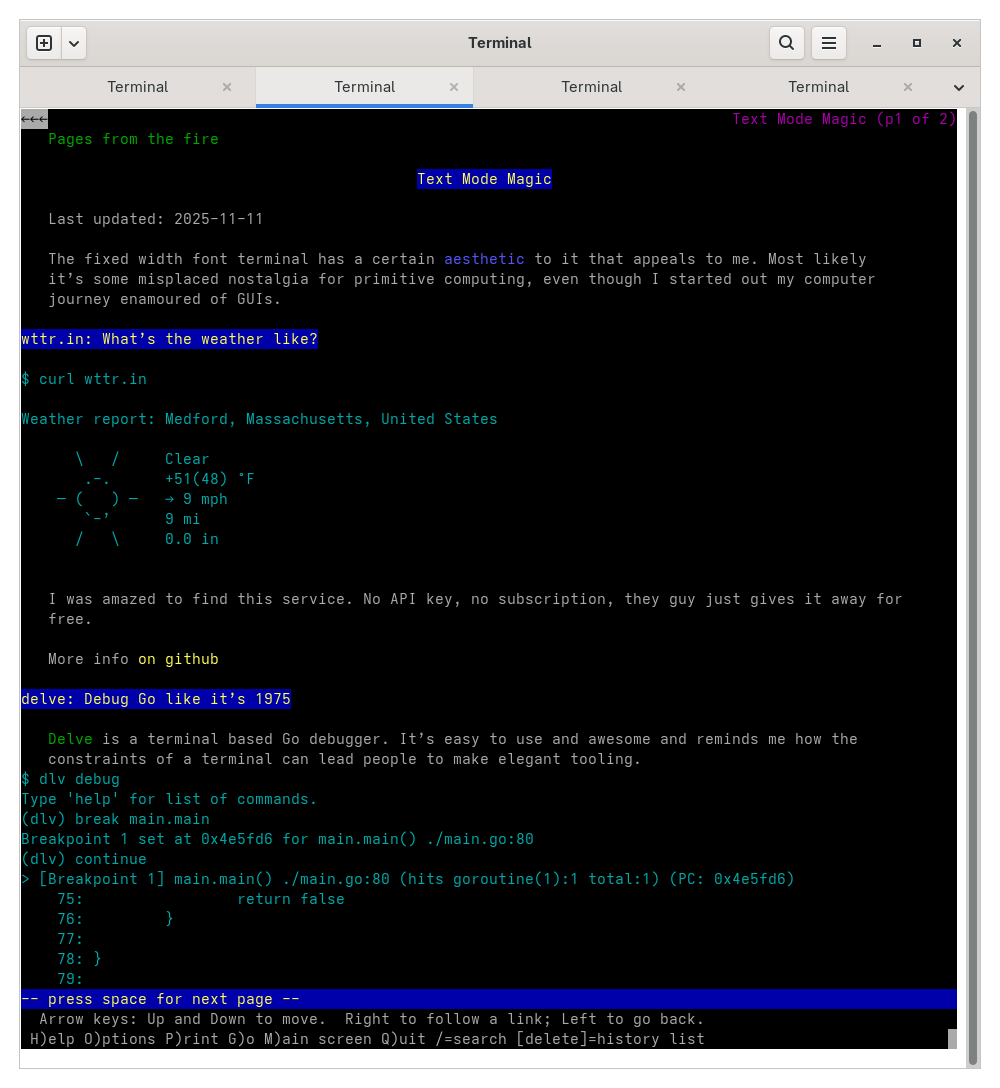
Lynx
Lynx is the one I’ve used on and off ever since I got a connection to the internet and I think it’s the one that has been under continuous development the longest: since 1992.
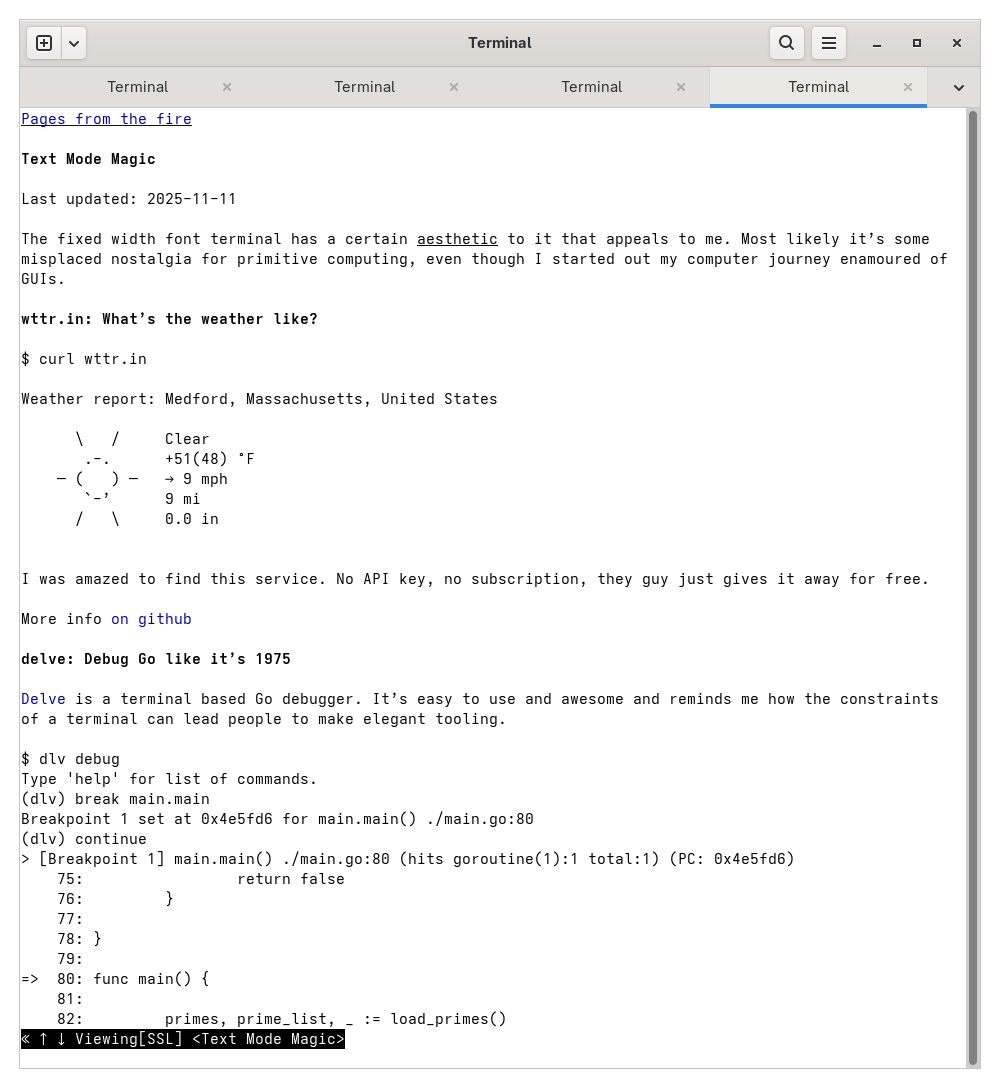
w3m
w3m is almost as old as Lynx, though it seems to have fewer developers behind it.
OpenSCAD
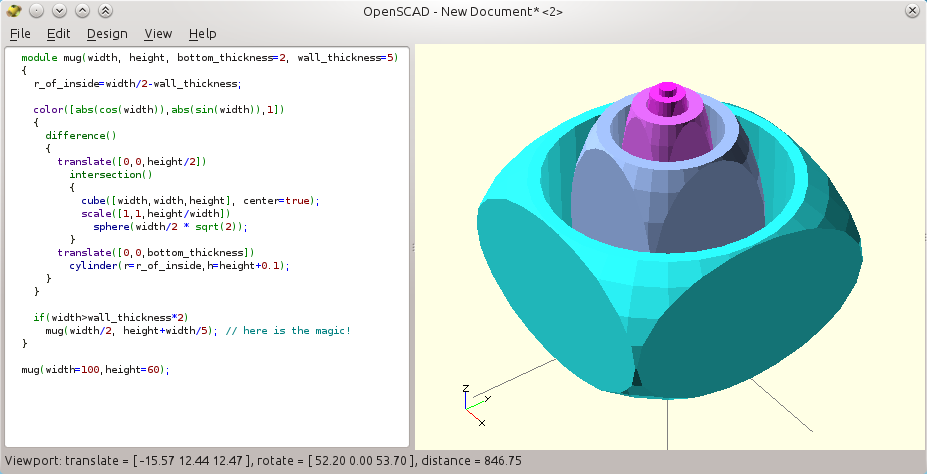
A lot of us have used CAD, and CAD is the poster child use case for graphical interfaces.
There are many grainy videos of amazing computer demos from the 1960s. Some historical guy is demonstrating this amazing thing they’ve built that pushes the ancient computer technology to it’s limit, and it is almost always about how no one is going to use keyboards any more.
They will be using mice, or light pens or haptic gloves. And the poster child application is often a CAD. Look how we can design this rocket by drawing three dimensional cylinders!
So it is all the more breathtaking to find a modern CAD application that is text driven.